

With most people working remote, it is often difficult to coach remote agents. With Amazon Connect, it is easy to listen into ongoing calls. This allows for coaching support agents to better handle conversations with customers. But an agent may have a question that needs immediate feedback from a business coach or a product expert.
Coaching requests
When everyone was working centralised in an office, coaches could sit next to junior agents to guide them. Or, if an agent had an immediate question, he/she could jump up and get someone to help. But now, with support agents, business coaches, product experts…all working remote, how could an agent know who is available to help?
Microsoft Teams or other internal chat solutions may help. But then again, a business coach could be in a meeting with someone when an agent initiates a chat with him/her. So, either this interrupts the work of the business coach, or – if the coach doesn’t notice the incoming request – the agent doesn’t get a response.
Team of coaches
A more efficient way of working, could be to organise a team of coaches. Just like a normal – front office – support team that assists your customers, a team of coaches may get setup to support or coach agents. In such scenario, Amazon Connect may get used to define ‘coaching agents’ and a ‘coaching queue’. New requests get automatically distributed to a coach that is truly available to assist the support agent.
Just like when using Amazon Connect in supporting your customers, coaches make themselves ‘Available’ or set their status to ‘Busy’. Next, Amazon Connect ensures that the incoming request arrives with the best suited coach, from where ever that coach works at that moment.
Also Read
Easy access to coaches
While in a call, a support agent should not think about who may best help her/him. The process of getting a coach available must be very simple. The following is an example when using Salesforce with Amazon Connect:
- A support agent needs assistance from a coach, and selects the ‘Get Coaching’ button in the Service Console

- The system checks if there are coaches available in Amazon Connect, which shows the green button (red button if no coaches are online)
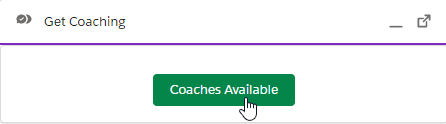
- By clicking the ‘Coaches Available’ button, immediately the chat session gets initiated
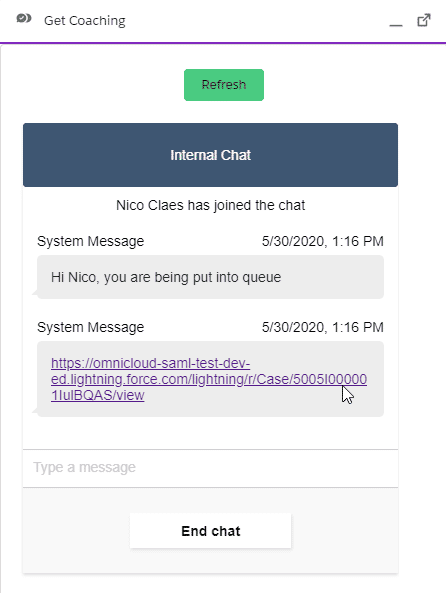 As you see, the coaching request is put in an Amazon Connect queue. If a coach would not react while in Available status, the chat request will be automatically redirected to a next available Coach. This is fully managed by Amazon Connect.
 - And the available coach receives a pop-up in Salesforce – immediately showing which support agent asks for coaching

- Upon accepting the incoming coaching request, the coach has the link to the open case (the case from which the agent initiated the coaching request) readily available

Conclusion
Coaching agents is not easy as people mostly work remote these days. However, with implementing this solution, coaches may organise their work without getting disturbed regularly, while support agents have easy access to available coaches.






One Comment
Comments are closed.